


Delegate System Microphones in Large Scale Communication
In the modern hybrid workplace, conferencing equipment is no longer just an accessory—it is the primary interface through which business happens. Choosing the right tools and organizing them into a structured system directly impacts a company’s bottom line, culture, and professional image.
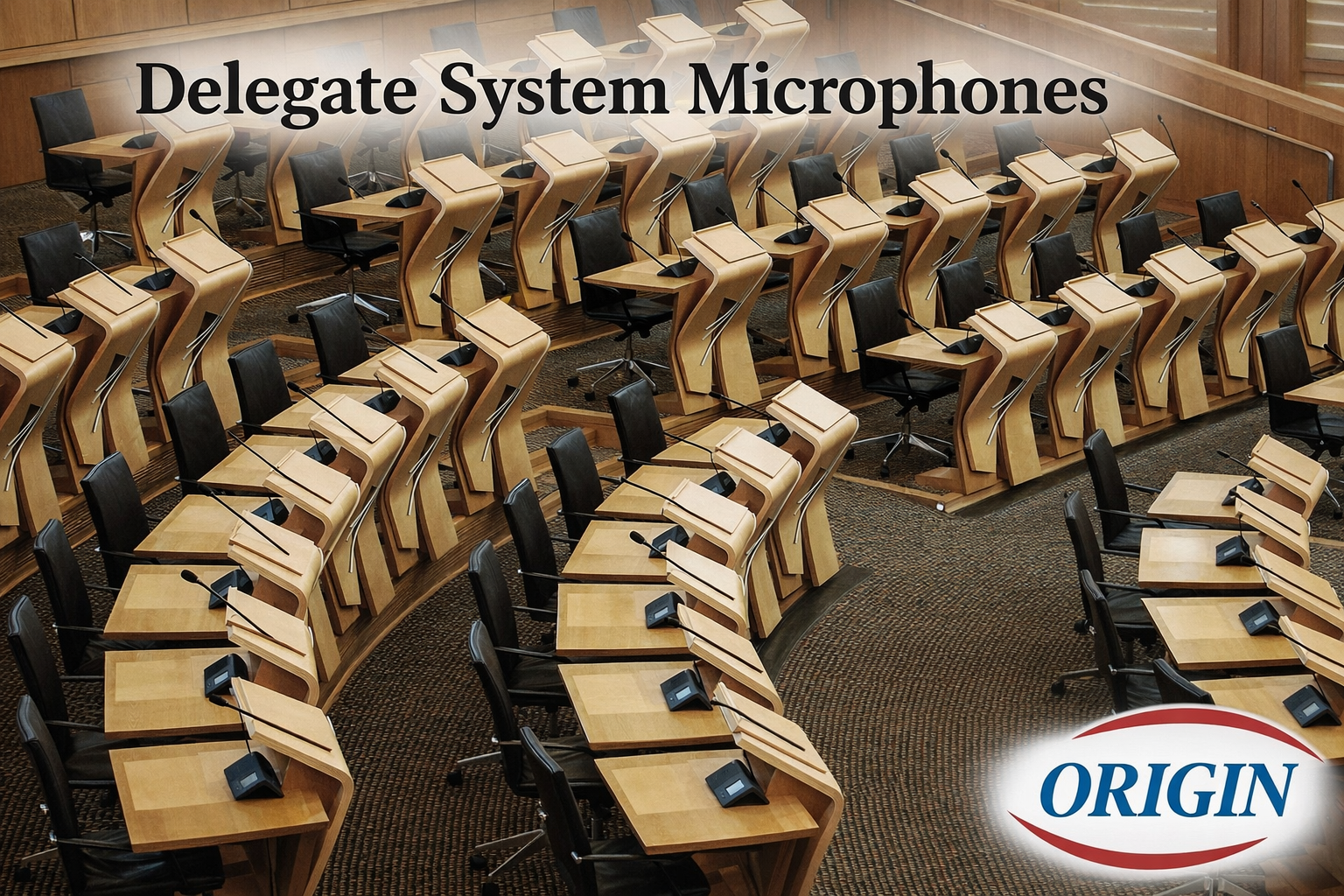
Delegate system microphone has the specialized capabilities and functions of communication equipment designed for structured group settings, such as conference rooms, legislative assemblies, and large meeting halls. These systems are essential for managing communication among a significant number of participants (delegates) and are typically governed by a central Chairman Unit for moderation and control.
Here is an in-depth look at the functions that enable efficient and orderly large-scale communication.
Core Delegate Microphone:
These features are integrated into the individual units used by each participant, ensuring their seamless interaction with the meeting.
- Clear and Amplified Sound- Each delegate is provided with a dedicated microphone, guaranteeing their voice is captured and amplified clearly. This dedicated channel ensures superior audio distribution, improving audibility for everyone in the room.
- Push-to-Talk (PTT) / Request-to-Speak- PTT Mode allows delegates to activate their microphone instantly for immediate speaking.Delegates press a button to join a waiting list, requiring the chairman’s approval before their microphone activates. This mode is crucial for maintaining a structured speaking order.
- Integrated Speaker and Headphone Output- Delegate units often include a small, built-in speaker for localized audio reinforcement. Crucially, they feature one or two 3.5 mm stereo headphone jacks, primarily for listening to simultaneous interpretation in multilingual meetings.
- Speaking Status Indicator- A visual indicator, typically an LED light ring (often red or green), surrounds the microphone. This light clearly signals when the unit is active (speaking) or when a request to speak has been placed, aiding in meeting management.
- Voting and Check-in Functions:Advanced units facilitate real-time polling and logistics by including dedicated buttons for:
* Voting: (e.g., Yes/No/Abstain)
* Check-in: To quickly register attendance and delegate presence.
- Display Screen (LCD/Touchscreen)- High-end units feature a screen to show contextual information, such as the current speaker’s name, the speaking list queue, voting results, and the unit’s operational status (ID, signal strength, battery life).
- Anti-Interference Design- The hardware is engineered to maintain clear and reliable audio transmission by resisting electrical interference from common devices like mobile phones, Wi-Fi, and nearby signals.
Delegation and Control (Chairman Unit Features):
The “delegation” of speaking authority and meeting control is centered around the Chairman Unit, which holds priority and override capabilities over all standard Delegate Units.
- Priority Control- The Chairman Unit has the ultimate power to override or remotely mute all active delegate microphones at any time. This ensures the moderator can instantly take control of the discussion or intervene when necessary.
- Chairman Mode / Lectern Mode- A specific setting allows the chairman’s microphone to be always active and unrestricted by the system’s limit on the number of simultaneous speakers, guaranteeing the moderator is always heard.
- Speech Request Management- The Chairman Unit, often connected to a Central Control Unit (CCU), allows the operator to view the waiting list of delegates who have requested to speak. The moderator can then manually approve, deny, or sequence these requests, structuring the debate.
- Simultaneous Interpretation Control- The system delegates specific audio channels for multilingual settings. The CCU manages the input/output of interpreters, and the Chairman Unit oversees this distribution, ensuring delegates can select their preferred language channel via their headphone output.
- Camera Tracking Integration- The Central Control Unit (CCU) can integrate with video cameras. It delegates visual focus based on the audio input, automatically tracking and zooming in on the specific delegate unit that is currently speaking.
The system ensure that communication in large-scale professional environments is not only amplified but also thoroughly structured, managed, and delegated for maximum efficiency and order.
Why Choosing the Right Equipment Matters
Selecting equipment tailored to your specific environment prevents the “technical friction” that kills momentum.
* Combating “Effortful Listening”: Low-quality audio forces the brain to work harder to “fill in the blanks” of garbled speech. This leads to listener fatigue, reduced information retention, and increased stress levels among employees.
* Professionalism & Credibility: In client-facing meetings, grainy video or echo-heavy audio can subconsciously undermine your brand’s perceived authority and intelligence.
* Cost vs. Value: While consumer-grade gear (like a standard webcam) is cheaper upfront, professional-grade equipment is built for durability (24/7 duty cycles) and scalability, reducing the long-term cost of frequent replacements and IT support tickets.
* Security: Professional systems often include enterprise-level encryption and secure login methods (MFA) that consumer devices lack, protecting sensitive corporate data.
How a Structured System Improves Efficiency
A “structured” system refers to an integrated ecosystem where hardware, software, and room environment work in harmony. This setup improves efficiency through:
1. Eliminating the “Five-Minute Delay”- Most meetings lose the first 5–10 minutes to technical troubleshooting (e.g., “Can you hear me now?” or “Which cable do I use?”). A structured system featuring one-touch join and automated room controls allows participants to start instantly.
2. Intelligent Meeting Flow- Modern structured systems utilize AI-driven features to keep the meeting on track:
* Auto-Framing & Speaker Tracking: Cameras automatically zoom in on the person speaking, ensuring remote participants feel “in the room” and can read non-verbal cues.
* Acoustic Fencing: Advanced microphones create a “virtual boundary,” suppressing background office noise and only capturing sound within the designated meeting zone.
3. Seamless Hybrid Equity- Efficiency drops when remote participants feel like “second-class citizens” who can’t see the whiteboard or hear side conversations. Structured systems use interactive digital whiteboards and omni-directional array microphones to ensure every participant has the same ability to contribute.
4. Simplified Management- For IT teams, a structured system provides a centralized management dashboard. They can push firmware updates, monitor room usage, and fix issues remotely without having to physically enter the room and disrupt an ongoing session.
Are you ready to upgrade? A delegated Microphone system facilitates clear communication in large meetings, conference, board rooms with quality. What’s your next move? Drop a thought below—we’d ❤️ to hear!